Everything you own, one number. Only you can read it.
Stocks, crypto, cash, real estate, collectibles, and on-chain wallets — tracked in one place, priced live, and sealed with a key only you hold.
Sign in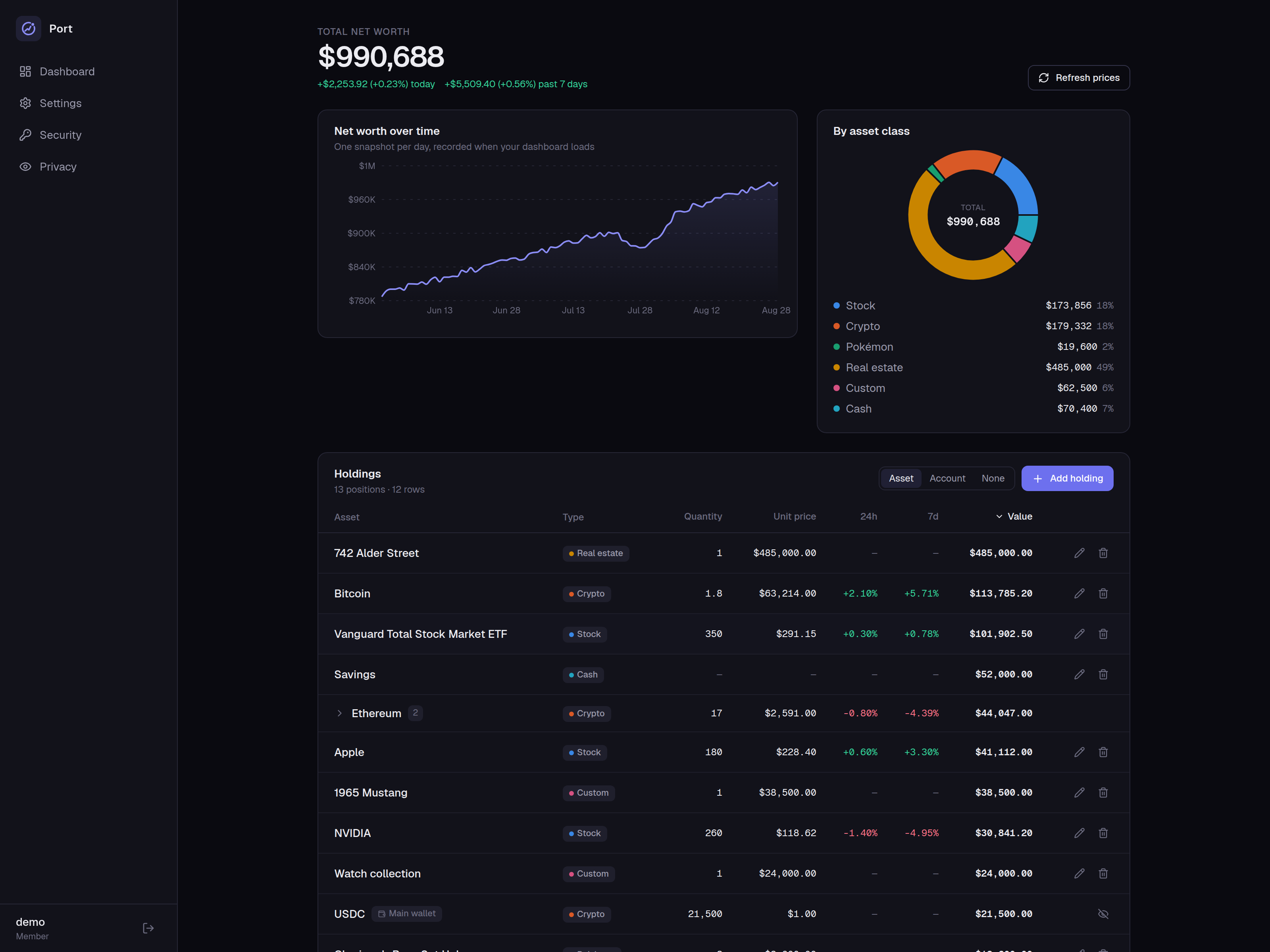
What it does
One dashboard for all of it
Add what you own once. Port keeps it priced, totalled and charted — so the answer to “what am I worth?” is always one glance away.
Every kind of asset, one total
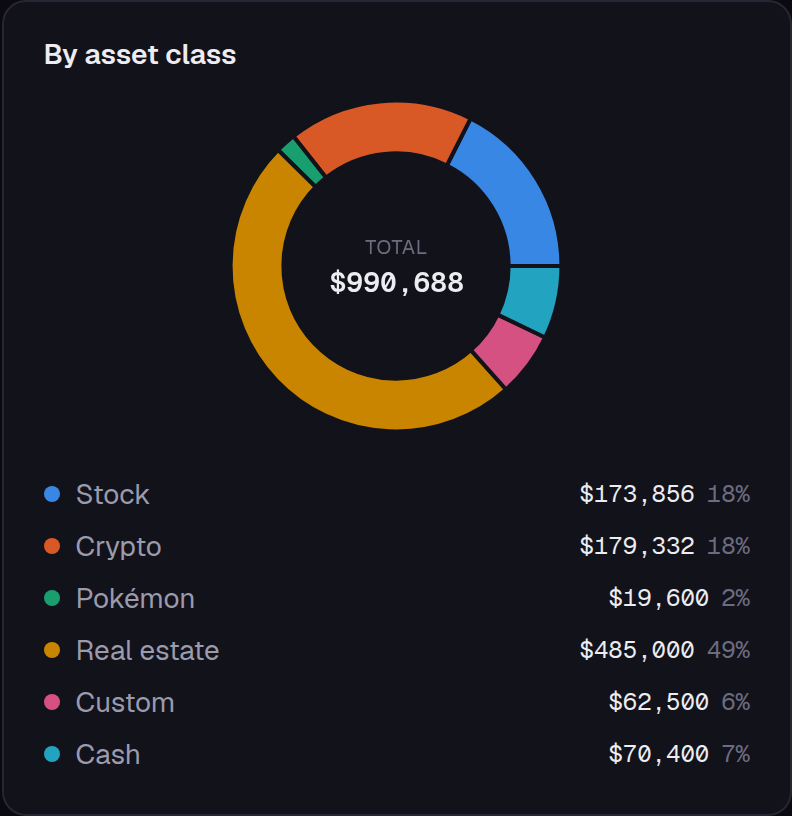
Stocks and ETFs, crypto, cash, property, Pokémon cards — and anything else you want counted, valued the way you say. Port adds it up and shows you what you are actually made of.
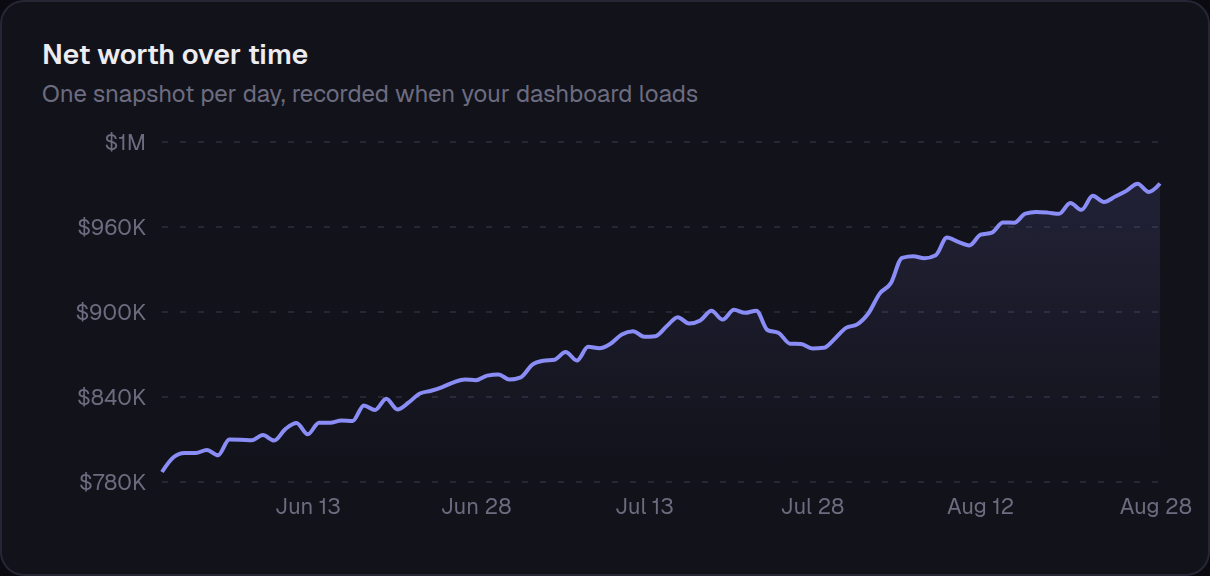
A history that builds itself
Each day you open Port, it records where you stand. A year in you can see the shape of the climb instead of guessing at it — no spreadsheet to keep up, no month-end ritual.
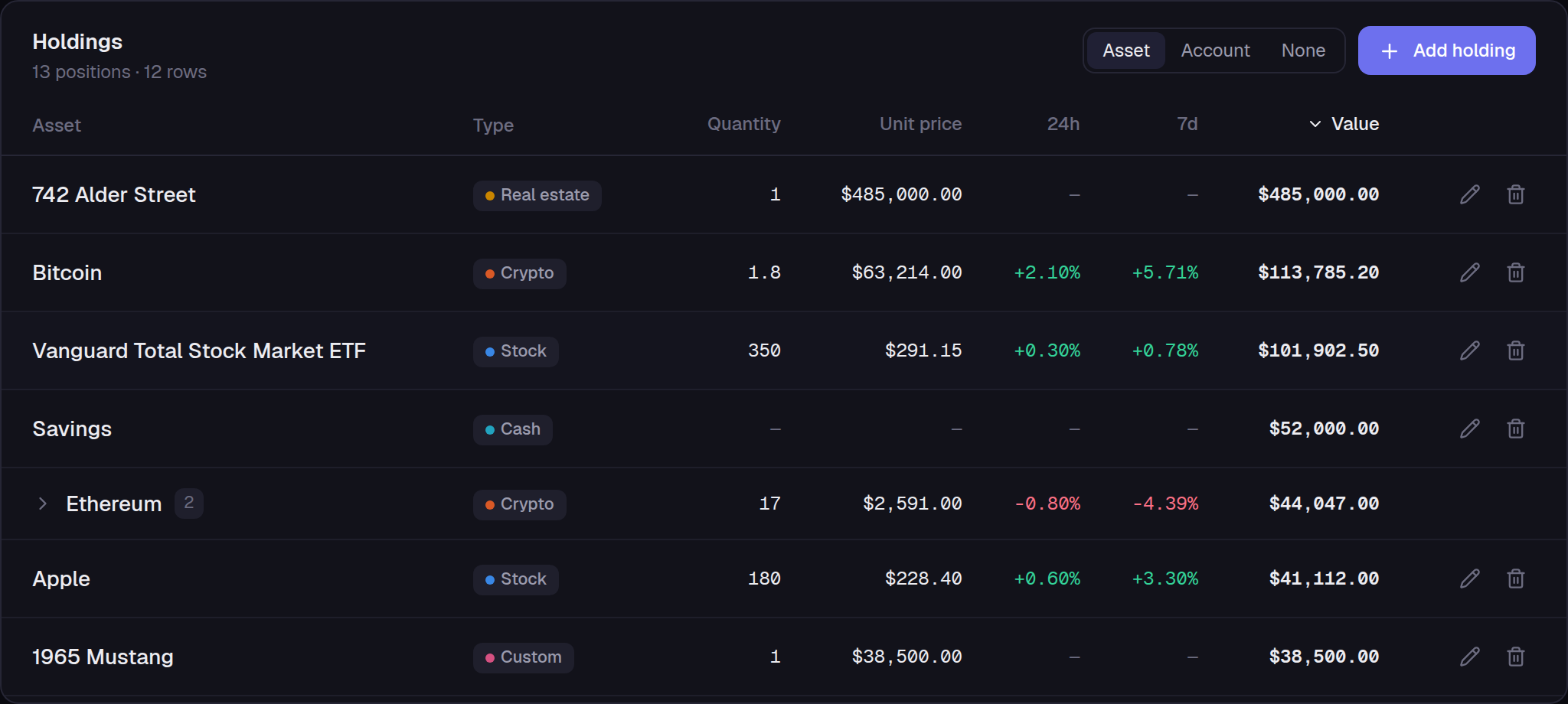
Every position in one list
Prices arrive on their own — nothing to configure, no data plan to buy. Sort by what matters, group by account, or fold the same holding at two brokerages into a single line.
On-chain wallets, read-only
Paste a public address — never a private key or seed phrase — and balances across Ethereum and the major L2s roll into your net worth on their own.
Real estate by address
Pick your address, tell it once what the home was worth, and it keeps itself current with your ZIP's Zillow Home Value Index.
Yours to take
Export every holding, wallet, and day of history to one file — or push encrypted copies to your own Dropbox or Backblaze.
Security
No one else can read it. Not even us.
Your portfolio is the data you least want leaked. So Port is built for one property above all: the server can hold your numbers without ever being able to read them.
Passkeys, not passwords
Face ID, Touch ID, Windows Hello, or a security key. There is no password to phish, leak, or reuse — and sign-in is one tap.
Encrypted with your key
Your numbers are sealed with a key only you hold, before they are ever stored. There is no master key on our side — nothing we could be persuaded to hand over, and nothing worth stealing from us.
Ciphertext to everyone else
A copied database is a wall of gibberish. So is a backup, and so is the view an administrator gets. Even the activity log never records an amount, a ticker, or an address.
Keys on a clock
An unlocked session keeps its key for at most 24 hours and re-locks after 15 idle minutes. You stay signed in either way — one passkey tap re-derives it.
No telemetry
No analytics, no crash reporting, no update check. Every outbound request is a price, balance, or address lookup for something you asked it to track.
Backups your host can't read
Off-site copies go out as sealed containers to storage you own. The provider holds ciphertext, padded so file sizes don't track your portfolio.
The specifics, for anyone who wants them
- Row encryption
- AES-256-GCM
- Key derivation
- HKDF-SHA256
- Key lifetime
- ≤ 24 h
- Idle lock
- 15 min
- Log retention
- 30 days
- IP stored as
- /24 prefix
How it works
Three steps, then it runs itself
Port never asks for a bank login or a broker password — holdings come in by search, by address, or by pasting a public wallet address.
- 01
Sign in with a passkey
One tap — the browser offers your saved passkey. No username to type, no password to invent.
- 02
Add what you own
Search stocks, crypto, and cards; type an address for property; paste a wallet address — or import a whole list.
- 03
Watch the number move
Live prices roll in, and each visit records the day's snapshot into your history.
Questions
Before you hand it your numbers
The answers a privacy-focused net worth tracker owes you, including the ones that are less flattering.
Can you read my portfolio?
No. Your holdings, values, account names and wallet addresses are stored as ciphertext, sealed with a key only your passkey can produce. There is no master key on our side — no environment variable, no config file, nothing on disk here opens your rows.
Where the line actually falls
Encryption draws its boundary at the database, not at the running process: while your session is unlocked the server can open your key — it holds a copy sealed under your raw session cookie, and the database stores only that cookie's hash — because pricing your holdings and adding them up is the job. That is true of any application that has to show you your own data, and Port does not pretend otherwise. What it buys you is that a copy of the database alone — a dump, a replica, an old disk — yields nothing readable. That is the leak most likely to actually happen.
What can you see, then?
A short and published set: your username, the device names on your passkeys, how many rows and snapshots you have, and when things happened. Not a holding, not a total, not an address, not a ticker. The activity log records that you signed in, never a number.
A summary of the published list
The larger items: usernames, passkey device names, row and table counts and ids, snapshot dates, created and updated timestamps, which holdings share an account and how many accounts exist, how many upstream API keys and backup destinations exist — never which vendors, never the credentials — whether automatic backups are on and when one was last taken, each account's role, and when each passkey was last used. Everything else is sealed: account names, wallet addresses, quantities, values, cached prices, and the whole net-worth history. This is a summary and says so; the itemised version is published in the project's README, and the privacy page inside the app renders it live for your own account.
Is my data encrypted, and with whose key?
Yours. Each account gets a random 256-bit data key, generated in your browser and wrapped by your passkey — and separately by a one-time recovery code. Rows are sealed with AES-256-GCM, and the key tree is HKDF-SHA256 throughout.
Where the key goes
Said plainly, because the alternative is overselling: when you unlock, your browser hands the unwrapped key to the server — that is how prices, totals and history work at all. The server keeps it sealed under your raw session cookie, and the database stores only that cookie's hash, so the stored copy opens nothing on its own. It never sends the key back to the browser. And it holds the key on a clock: an idle session drops it, and every session drops it eventually, leaving you signed in but locked until one passkey tap re-derives it in place.
What happens if I lose my passkey?
Register more than one — a phone and a laptop — and any of them signs you in. If they are all gone, an administrator can issue a recovery link that restores the account, and your recovery code is what restores the data behind it.
Why there are two of them
They are deliberately separate powers. A recovery link registers a fresh passkey and deletes your others, so it returns the account — but that new passkey carries no wrapped copy of your data key, which is why it lands on the unlock screen. Only the recovery code opens the data: 25 characters, shown once when encryption was turned on, and never sent to the server. Lose every passkey and the code, and the data is gone. There is no escrow and no override — which is the property that makes every other answer here true.
Do I have to link a bank or brokerage?
No — Port has no bank connection at all, and no aggregator in the middle. You add what you own, and prices arrive on their own from public feeds. There are no banking credentials to hand over. Linked wallets are the one thing Port reads by itself, and only from a public address you paste.
Do you sell or share my data?
No. There is no advertising, no analytics, no crash reporting, and no third-party tag on this page or anywhere in the app. Nothing about you is passed to anyone for money — and since your numbers are ciphertext on our side, there is nothing here to pass on.
What can I track?
Six kinds of holding: stocks and ETFs, crypto, cash, real estate, Pokémon cards, and a custom class for anything you value yourself. Plus read-only on-chain wallets — Hyperliquid, and one address scanned across Ethereum, Base, Arbitrum One, OP Mainnet and Robinhood Chain.
How each one is priced
Stocks and ETFs come from Yahoo Finance, crypto from CoinGecko, cards from pokemontcg.io's TCGplayer market price. A property is marked to a public home-value index for its ZIP once you say what the home was worth and when, or to a valuation service where one is configured; a custom asset takes whatever per-unit value you set, and cash takes a label and a balance. If a feed is down you get the last cached price, flagged stale, and the dashboard still renders.
What leaves the server?
For most holdings, only the identifier a feed needs in order to answer: a ticker to Yahoo Finance, a coin id to CoinGecko, a card id to pokemontcg.io, a wallet address to a block explorer. Property is the exception, and it is worth saying plainly: track one and the address you type goes to a geocoder, and to whichever valuation service this install uses.
The rest of the list
Those two are the only upstreams that receive something identifying about you rather than about an asset — the privacy page inside the app itemises every one of them, what it receives, and when. Beyond those lookups there is nothing: no telemetry, no analytics, no crash reporting, no update check. Your browser talks only to this install — no fonts from a CDN, no analytics tag, no embedded widget, on this page or inside the app. Off-site backups carry ciphertext: Dropbox or Backblaze see a sealed file, padded so its size does not track your portfolio, and the times you backed up.
Can I get my data out?
Yes, whenever you like. Settings → Data writes every holding, wallet and day of history to one file — plain JSON you can read, or a container sealed with a backup key only you hold.
And off-site, to storage you own
Port can also push the sealed container to your own Dropbox or Backblaze B2 — on demand, or automatically when you sign in — pruning old copies and touching only the files Port itself wrote. The plain export is the deliberate exception to everything else on this page: it is readable by construction, because a file only your passkey could open could not be restored onto a fresh machine, which is the one job a backup has. Downloading it asks you to acknowledge exactly that.
What does Port cost?
Nothing today. Port is invite-only while it is small, and free for everyone using it. A fee is likely later; there is no price and no date to quote yet. Whatever that turns out to be, the export in Settings → Data means your history stays yours to take.
How accounts are created
An administrator creates the account and hands out a single-use invite link. You open it and register your own passkey on your own device — there is no public sign-up form and no password anywhere in the flow. The link can be used once, and then it expires.